
Explore EC40 features
Fast connectivity. Effortless voice commands. Intuitive controls. This crossover just gets you.

EC40 Displays and connectivity
Your map. Your playlist. Your preferences. Just a tap away.
 9-inch centre display
9-inch centre display
The large centre display with touch screen allows you to intuitively control the functions of your Volvo – even with your gloves on. It gives you instant access to built-in Google apps and services, including the Google Assistant, Google Maps and Google Play store. On the display’s lower section, you have instant access to commonly used features such as park assist camera views and in-car apps. The display’s portrait format facilitates your overview when navigating. And if needed, you can easily rearrange most of the touch screen buttons to suit your preferences.
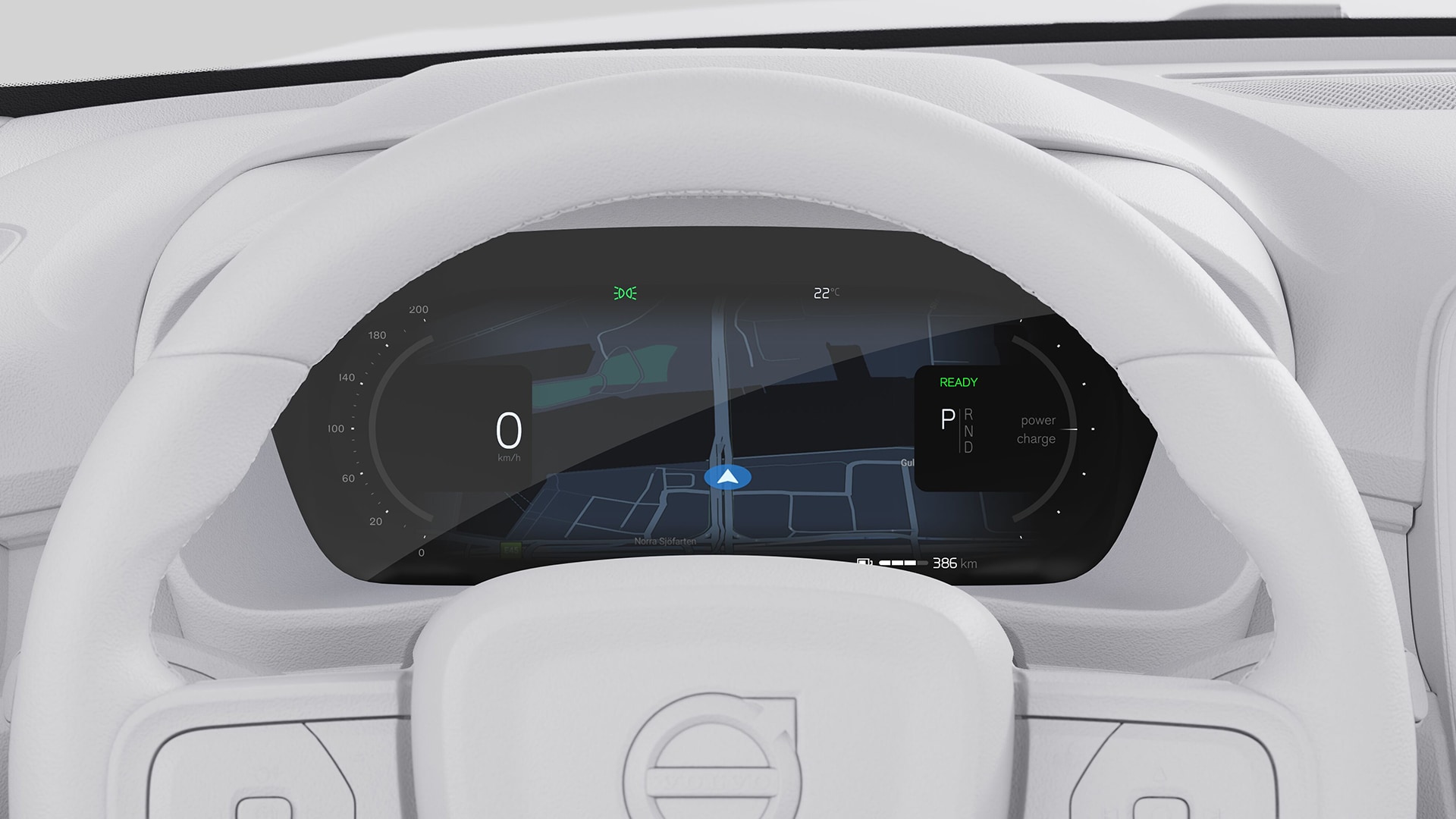 12.3-inch driver display
12.3-inch driver display
The 12.3-inch driver information display shows all the essential driver information that’s needed to keep you constantly updated. It's designed to give you intuitive control and quick overview. The driver information display features two display modes showing different levels of information: Calm and Navi.
 Google bulit-in
Personalise your drive with Google built-in, a range of helpful apps available with unlimited data as part of your free digital services package.
Google Maps
Find the best route to your destination with Google Maps. It's simple in-car navigation that reroutes you based on the latest traffic updates.
Charging station locator
Google Maps can help you plan the most efficient route for your electric car. It can also locate nearby charging stations. Filter by speed, price and payment options.
Google Play
Download the apps you love to bring your favourite music, podcasts and audiobooks on every journey.
Google Assistant
Say “Hey Google” to adjust climate settings, call and text, play audio and more using just your voice.
Digital services
Use Google Maps, Google Assistant and any app downloaded on Google Play Store with unlimited data for five years. This digital services subscription is included with the purchase of a new Volvo car. A fee applies after five years.
Google, Google Play and Google Maps are trademarks of Google LLC.
 Easy software updates
Easy software updates
Get software updates sent directly to your car via the cloud. These over-the-air (OTA) updates roll out periodically, improving your car over time with no shop visits required. OTA updates also make it easy to upgrade and add software-based features and packages at any time.
Cadence of over-the-air updates will vary per model and market.
 Volvo Cars app
Get more from your car with the free Volvo Cars app. Use it to remotely access your car, activate climate functions, update car software and more.
Easy access
Unlock your car in the app or use it set up a digital key. Can’t remember where you parked? Locate your car on a map, honk the horn or flash its lights.
Climate settings
Warm or cool the cabin before you get in. Heat seats and the steering wheel, too. You can also run a purification cycle to refresh cabin air before your journey.
Charging controls
See charge level and range at a glance. Find nearby charging stations. Schedule charging times and confirm charging status.
Convenient updates
Get notifications when updates are available for your car's software-based features. Tap to start the update or schedule it for a more convenient time.
Features may not be available in all markets or for all models and may not be available until a later date. Remote functions may not be available when the vehicle has been parked for an extended period.
 Apple CarPlay/Android Auto
Apple CarPlay
Connect your iPhone via the USB-C port in the centre console to use Apple CarPlay. Then you’re all set to select apps, music and more using Siri or the centre display. Your phone will also charge when it’s in use.
Android Auto
Access your favourite apps in the car's centre display with Android Auto™. Connect your Android™ phone to the USB-C port in the centre console to get started. Your phone will charge while connected.
Apple CarPlay and iPhone are trademarks of Apple Inc. Apple CarPlay is compatible with an iPhone 5 or newer models running iOS 8 or later. Update to the latest software to optimise your Apple CarPlay experience. Google, Android and Android Auto are trademarks of Google LLC. Compatible Android phone and compatible active data plan required.
EC40 Comfort and climate
Peace of mind in your demanding day.
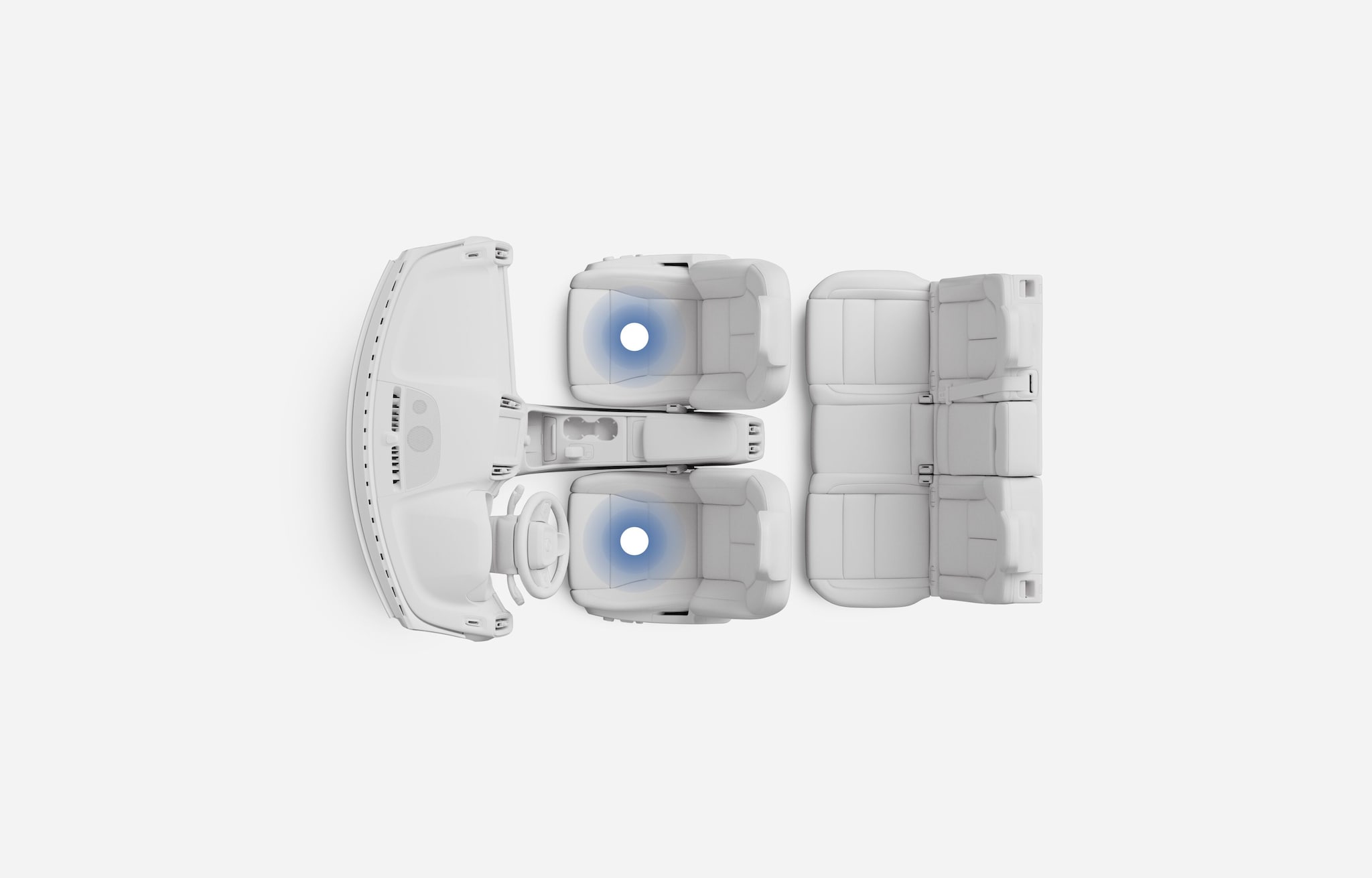 Two-zone climate system
Two-zone climate system
Our powerful two-zone climate system automatically maintains the cabin temperature you choose and can be set independently for the driver and passenger side. Floor air outlets and separate adjustable air vents at the rear of the tunnel console ensure a comfortable climate in the rear seat even during long drives. All cabin climate settings are easily controlled using intuitive touch screen controls. An efficient cabin filter helps keep the incoming air free from dust, pollen and other particles – a real benefit if you or your passengers are prone to hay fever or have other allergies.
 Air purifier and remote cabin air pre-cleaning
Air purifier and remote cabin air pre-cleaning
Fine particulate matter (PM 2.5) is a health impairing air pollutant. By efficiently helping to reduce or eliminate the levels of PM 2.5 inside your Volvo, our air purifier significantly contributes to a clean cabin environment. Its advanced filter helps prevent up to 80% of these extremely small particles from entering the cabin, while also helping to reduce airborne viruses and common allergens such as grass, tree and weed pollen from incoming air. The levels of PM 2.5 particles in the cabin are constantly monitored by an optical sensor and shown in the centre display. You can also compare the PM 2.5 levels in the cabin with those outside the car. Using the Volvo Cars app, you can even pre-clean the cabin air and access information on interior air quality before entering the car.
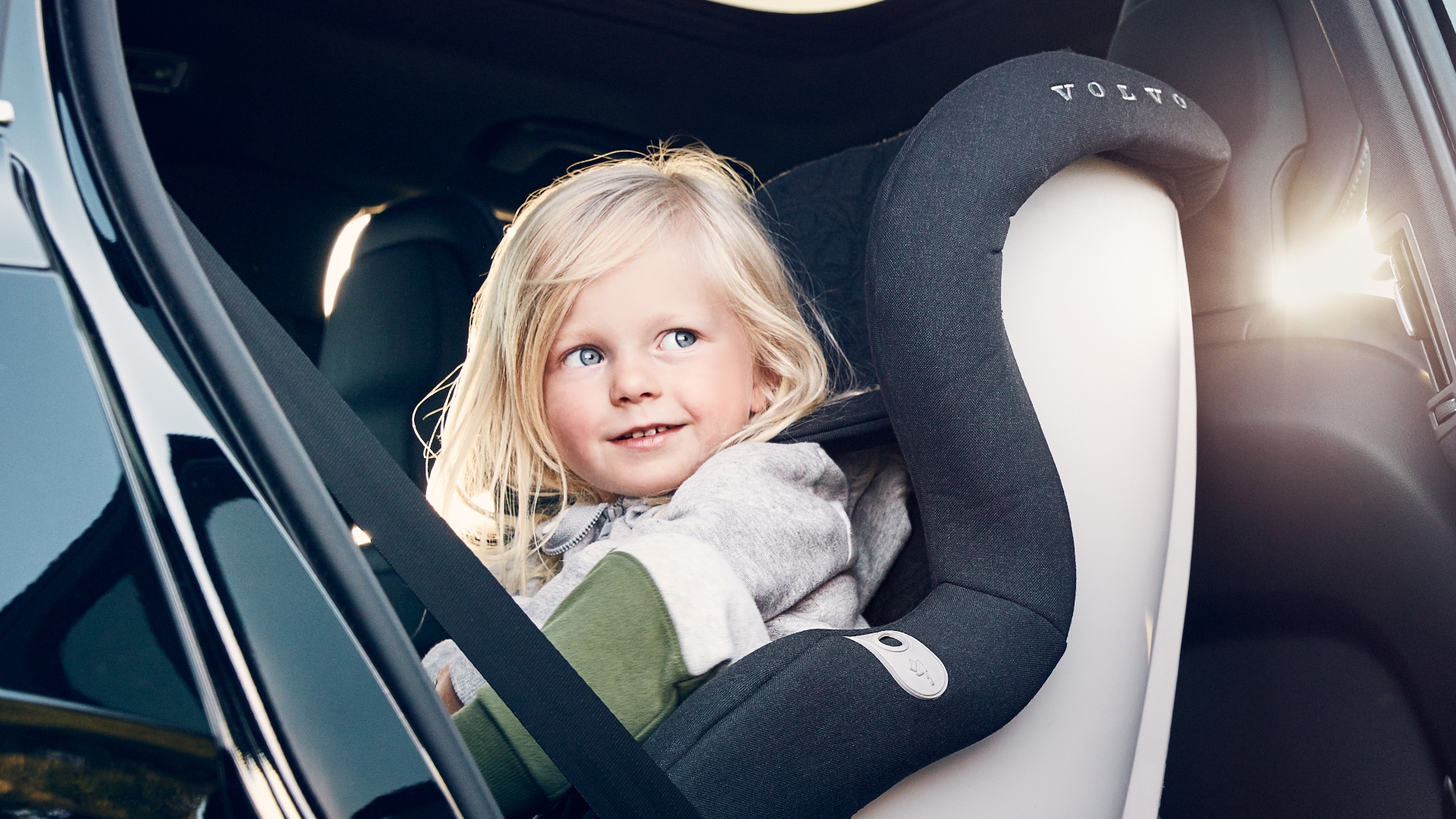 Child seats and locks
Child seats and locks
This family-friendly SUV is equipped with ISOFIX anchorages for child seats.
Power child lock
The rear doors and rear power windows can also be locked from the driver’s seat to prevent them from being opened from the inside.
Child safety recommendations
Our approach to child safety includes rigorous testing based on real-life traffic situations. That's why we strongly recommend keeping kids in rear-facing child seats until they’re at least four years old.
Keyless entry and start
Keyless entry and start
Walk up to your car with the EC40 key fob in your pocket or purse, and the car will recognise you. Simply reach for the door and step in. Incredibly convenient when carrying grocery bags or a sleeping child. Once inside, fasten your seatbelt, engage the gear selector and you’re ready to roll.
 Wireless phone charger
Wireless phone charger
Pop your phone on the optional charging pad at the front of the centre console. It fits larger phones and delivers enough power for quick top-ups.
USB-C ports
Charge devices using the two USB-C ports at the front of the centre console. There are two more at the rear of the console.
EC40 Safety and driver support
For your most precious cargo.
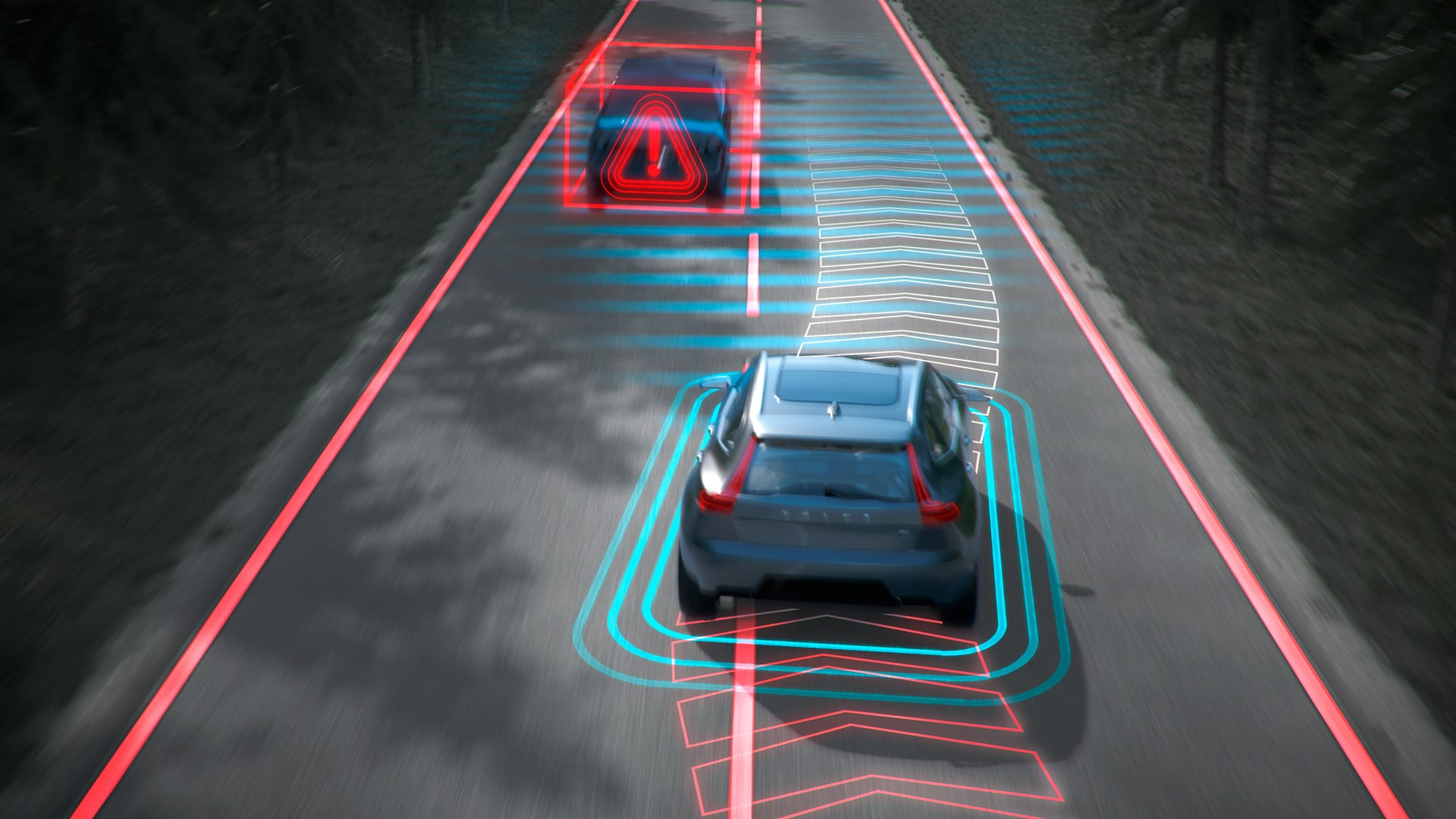 Oncoming Lane Mitigation
Oncoming Lane Mitigation
Using automatic steering assistance, this system helps you avoid collisions with oncoming vehicles. If you drift across the lane markings into the path of an oncoming vehicle, your car steers back. Please note: The driver is always responsible for how the car is controlled, this is only a supportive function.
Please note: The driver is always responsible for how the car is controlled, this is only a supportive function.
Vehicles, pedestrians and cyclists moving in the same direction of the car can be detected under certain speeds and in certain conditions. Detection systems depend on objects being illuminated and require the vehicle’s front and rear lights to work when it is dark. Driver remains responsible for safe driving at all times.
Detects and corrects drifting
Detects and corrects drifting
If you start drifting across the centre line, a collision with an oncoming vehicle is always a risk. Your car can detect this and correct the steering, helping you back to a safer position on the road.
Steering support is active at speeds between 60 and 140 km/h.
BLIS™ and Cross Traffic Alert
BLIS™ and Cross Traffic Alert
This feature can support in heavy traffic and when reversing. When a vehicle enters your blind spot or approaches fast from behind, you can be alerted via a light in the door mirrors. Should you nonetheless drift into the path of another vehicle, your car can help steer you back into your lane. To help make parking safer, it can also alert you on crossing traffic when you reverse out of a parking space with limited rear visibility. It can even brake for you if there’s a risk of collision.
Please note: The driver is always responsible for how the car is controlled, these features are only supportive functions. All described functions may not be available in all markets.
Reverse with confidence
Reverse with confidence
Cross traffic alert with autobrake supports the driver when reversing with limited view. The system can detect vehicles crossing behind yours and automatically brake the car if needed.
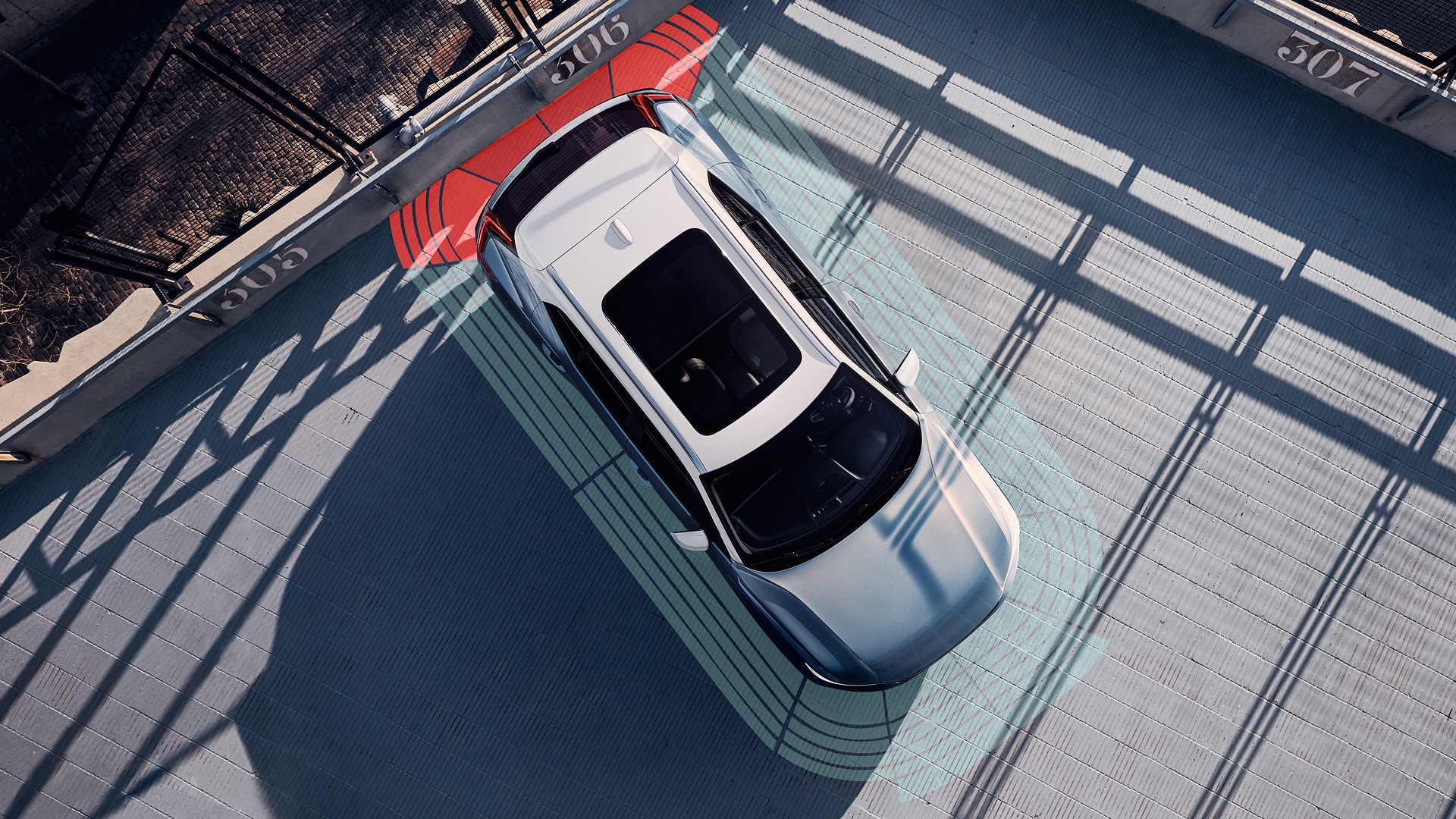 360° camera
360° camera
This convenient feature includes front, rear and side cameras that can give you a view of the area closest to the car when you have to manoeuvre in spaces with limited visibility. Using the images from all cameras, it can also create a 360° birds-eye high-resolution view in the centre display of the car and its surroundings. All camera views include onscreen graphics that show the car’s intended route to facilitate manoeuvring in confined areas. Split-screen technology further improves overview by showing both a 360° bird’s view and a close to 180° rear or front camera view at the same time – you no longer needs to switch between views while manoeuvring the car.
*May vary depending on market.
a. Safety features complement safe driving practices and are not intended to enable or encourage distracted, aggressive, or otherwise unsafe or illegal driving. Cross traffic alert may have limited functionality in certain situations. Driver support functions are not a substitute for the driver's attention and judgment. Ultimately, the driver is responsible for the safe operation of the vehicle at all times.
EC40 Charging solutions
Big and little ways to make charging feel routine.
 Top up on time
Top up on time
A 20 per cent charge can trigger a charging reminder to help you top up on time. With the reminder, your car offers to list nearby public charging stations on your centre display. Select a station and enjoy turn-by-turn navigation plus an estimated time of arrival and expected charge level on arrival.
 Charge more efficiently
Charge more efficiently
Select a charging station as your destination, and your car will pre-condition the battery, pre-heating or pre-cooling it to the optimal temperature for charging. That can make a big difference to how rapidly and efficiently the battery charges when you arrive.
 Rapid charging
Rapid charging
Charge your EC40 from 10 to 80 per cent in 28 minutes at fast public charging stations. A Volvo Cars wallbox makes rapid charging at home faster, too. Compared to a regular household socket, it can charge your EC40 up to five times faster. You can start and stop charging, schedule charging, and monitor progress on the wallbox and your smartphone.
This figure is the typical time to charge from 10 to 80 per cent at a 200kW DC fast charging station. Figures are preliminary and derived from estimates and calculations performed for the Volvo EC40. These outcomes are not guaranteed. Charging times can vary and depend on factors such as outdoor temperature, battery temperature, charging equipment, battery condition and car condition. Vehicle certification pending.
Explore EC40 further


Features depicted may not be standard or available for all markets, equipment levels and powertrain options. Google services are enabled through a digital services package that is included for five years. After this period, new terms and fees will apply if you choose to renew. Google, Google Maps and Google Play are trademarks of Google LLC.